- Home Page /
- Electronics /
- Television & Video /
- Television Accessories /
- Remote Controls /
- Voice Replacement Remote for Sony TV Remote, ...
0 ratings









Item #:
104824882
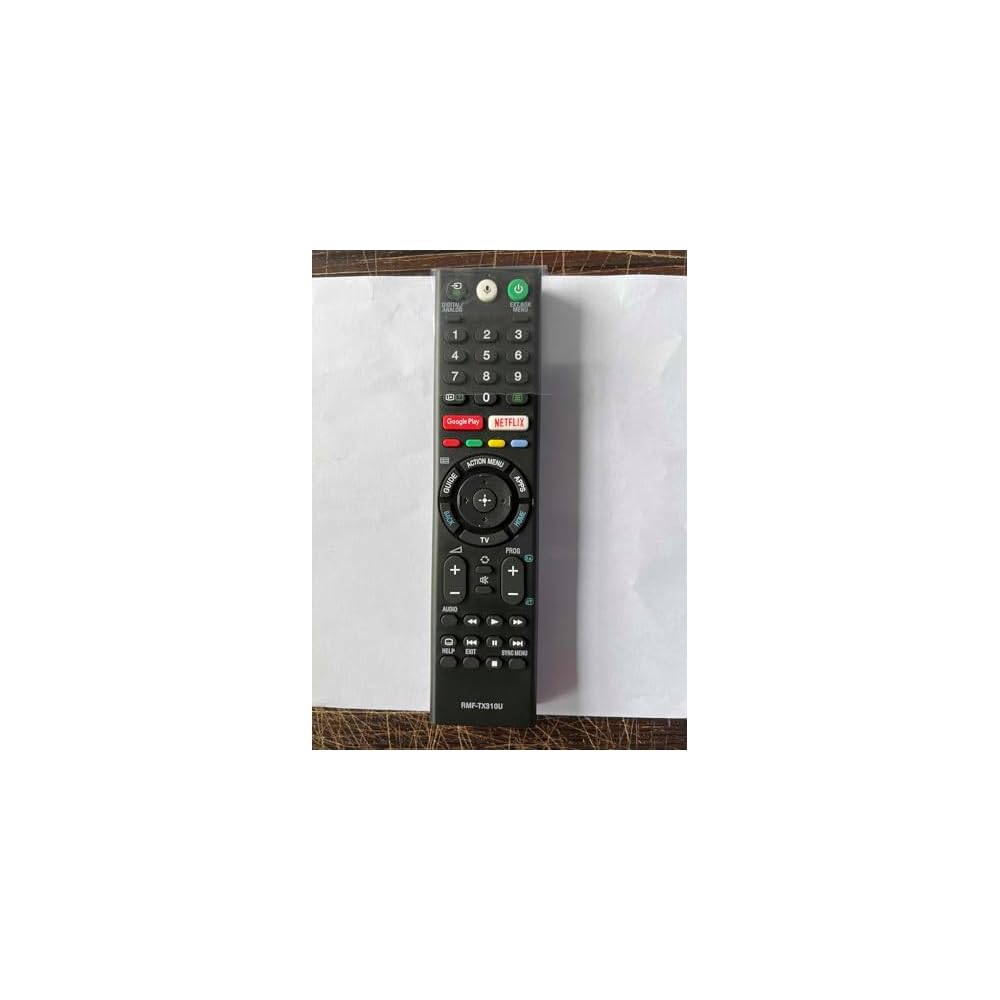
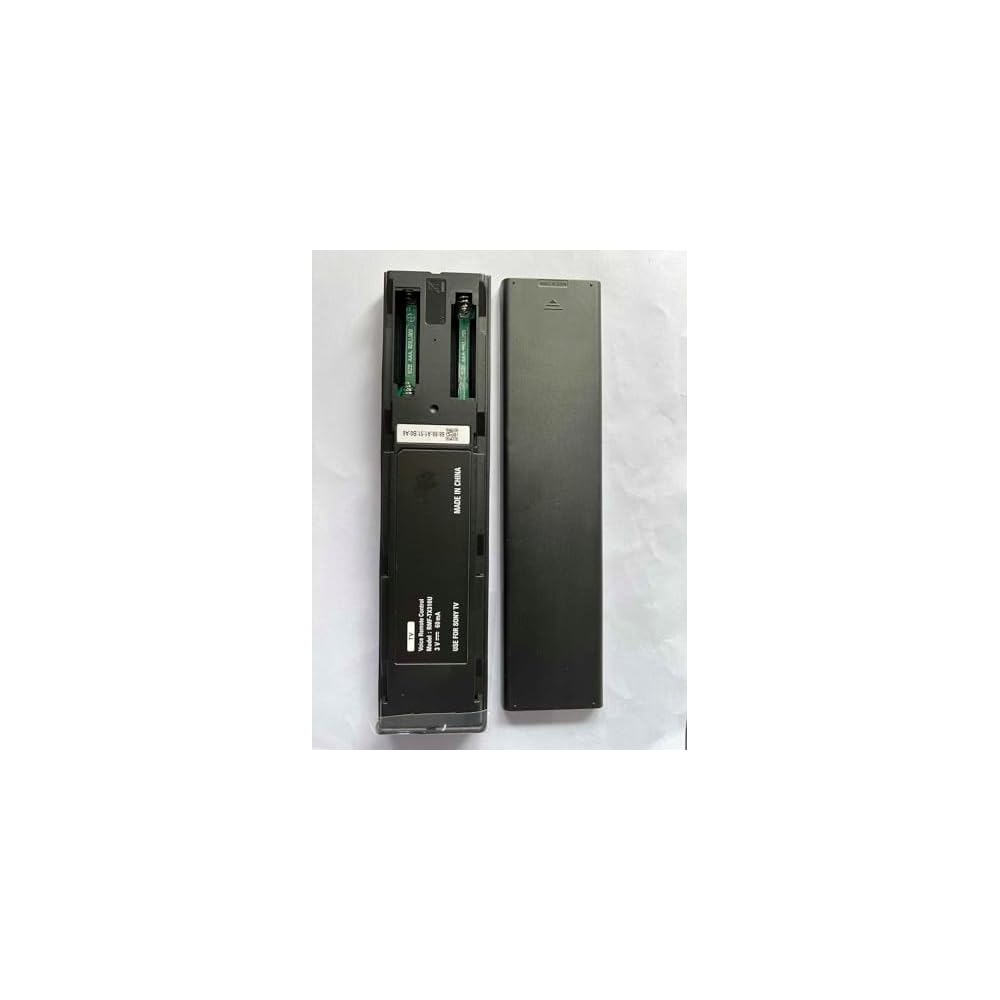
Voice Replacement Remote for Sony TV Remote, RMF-TX310U Remote Control for Sony Bravia TV XBR-43X800G XBR-75X800G XBR-49X800G XBR-55X800G XBR-65X800G
Item #:
104824882
BHD 5
Price Details
Excluding Shipping & Custom charges ( Shipping and custom charges will be calculated on checkout )
*All items will import from US
44%
0 ratings
Write a review
In stock
 Imported from USA store
QTY:
Order now and get it around Wednesday, June 24
Secured transaction
Ubuy works hard to protect your security and privacy. Our advanced payment security system ensures confidentiality by encrypting your information during transmission using AES (Advanced Encryption Standards) and SSL (Secure Socket Layer) protocols. Your payment details are 100% secure as we do not share your payment details with third party sellers.
Our Top Logistics Partners


Equipped with voice search function for seamless interaction with your Sony TV.

Fast
Shipping

Free
Return*

Secure Packaging

100% Original Products

PCI DSS Compliance

ISO 27001 Certified


Note: Step Down Voltage Transformer required for using electronics products of US store (110-120). Recommended power converters Buy Now.


What Stands Out
Voice Control
This remote enables seamless voice replacement capabilities, enhancing user interaction for hands-free control of your Sony Bravia TV and providing a modern, immersive viewing experience.
Compatibility
Designed specifically for various Sony Bravia TV models, this remote guarantees perfect functionality, ensuring you can control your TV effortlessly without worrying about compatibility issues.
Ergonomic Design
The remote features an ergonomic design that ensures comfortable handling, making it easy for users of all ages to navigate their TV without discomfort during extended use.
Product Details
- 【Compatibility】Voice Replacement for Sony TV remote, RMF-TX310U Compatible with Sony Bravia TVs / for Sony XBR TV Series / for Sony KD TV Series
- 【Compatible with Sony Bravia TV】XBR-43X800G XBR-75X800G XBR-65X800G XBR-49X800G XBR-55X800G XBR-85X900F XBR-49X900F XBR-75X900F XBR-65X900F XBR-55X900F
- 【Shortcut Button】For Sony Remote Control for Smart TV Features two application buttons for quick access to popular streaming channels
- 【Voice Recognition】For Sony TV Remote Replacement Equipped with voice search function for seamless interaction with your Sony TV
- 【Easy Pairing】For Sony Bravia Remote Replacement Simple pairing process - just press the power button on your TV, hold the “VOL-” and “Microphone” buttons for 2 seconds to pair
| Additional Features | Ergonomic |
| Maximum Number of Supported Devices | 100 |
| Compatible Devices | Television |
| Connectivity Technology | Bluetooth |
| Controller Type | Voice Control |
| Maximum Range | 40 Feet |
| Battery Type | Alkaline |
| Brand | Tendodo |
| Manufacturer | Tendodo |
| Color | Black |
| Special Feature | Ergonomic |
| Max Number of Supported Devices | 100 |
| Item Weight | 0.5 lbs (230 grams) |
Who Should Buy?

-
Sony TV Owners
Ideal for users with compatible Sony Bravia TVs needing a reliable replacement remote for seamless operation.
-
Voice Control Users
Beneficial for users who prefer voice commands, enhancing their entertainment experience and device interaction.
-
Tech-Savvy Individuals
A great choice for those comfortable with setting up new remotes and exploring TV features conveniently.

-
Budget-Conscious Buyers
Not suitable for those looking for the most inexpensive remote option, as pricing may be higher than basic alternatives.
-
Casual Viewers
Less beneficial for users who seldom use their TV remotes or do not require advanced functionalities.
-
Non-Compatible Models
Not recommended for users with Sony TVs outside the listed model compatibility, potentially limiting functionality.
Product Description
Have any Query? Chat with us
Customer Questions & Answers
-
Question:
What is the Voice Replacement Remote for Sony TV RMF-TX310U?
Answer: The Voice Replacement Remote for Sony TV RMF-TX310U is a replacement remote designed specifically for selected Sony Bravia models including XBR-43X800G, XBR-55X800G, and XBR-75X800G. It offers all the essential functions of the original remote, including voice control capabilities. This remote allows users to navigate menus, control volume, and access streaming services seamlessly, providing an intuitive and efficient viewing experience. -
Question:
Is the RMF-TX310U remote compatible with my Sony Bravia TV?
Answer: The RMF-TX310U remote is compatible with specific Sony Bravia models such as XBR-43X800G, XBR-75X800G, XBR-49X800G, XBR-55X800G, and XBR-65X800G. To ensure full compatibility, refer to your TV's model number, which is usually found on the back or side panel of the device. This remote is tailored to work optimally with these models, ensuring that essential functions like voice command work as intended. -
Question:
How do I program the Voice Replacement Remote for my Sony TV?
Answer: Programming the RMF-TX310U remote is simple. First, insert batteries into the remote. Then, turn on your Sony Bravia TV and press the 'Home' button on the remote. Follow the on-screen instructions to pair the remote with your TV. This process ensures that the remote is synced correctly for smooth operation across different functions, allowing you to enjoy voice commands and access your favorite apps without hassle. -
Question:
Does the RMF-TX310U remote support voice commands?
Answer: Yes, the RMF-TX310U remote supports voice commands, enhancing your viewing experience. With this feature, users can interact with their TV hands-free, allowing for smoother navigation through channels, settings, and applications. This is particularly useful when your hands are busy or when you want to quickly search for programs or control playback with just your voice, making a more enjoyable and user-friendly experience. -
Question:
What should I do if my RMF-TX310U remote is not working?
Answer: If your RMF-TX310U remote is not functioning, first check the batteries to ensure they are properly installed and charged. If the remote is still unresponsive, try resetting both the TV and the remote. Remove the batteries from the remote, press any button for 10 seconds, then reinsert the batteries. This can often resolve connectivity issues and restore functionality, allowing you to continue enjoying your TV without interruption. -
Question:
Can I use the RMF-TX310U remote to control other devices?
Answer: The RMF-TX310U remote is primarily designed for Sony Bravia TVs and may not support controlling other devices like sound systems or Blu-ray players. However, it does facilitate seamless navigation through smart TV features, utilizing its specialized buttons to access streaming apps and settings quickly. For controlling a full entertainment system, consider investing in a universal remote that can handle multiple devices. -
Question:
Where can I find the user manual for the RMF-TX310U remote?
Answer: The user manual for the RMF-TX310U remote can typically be found online, either on the official Sony support website or through authorized retailers. This manual provides comprehensive instructions on using features, programming the remote, and troubleshooting common issues. Accessing the user manual is beneficial for users who want to maximize their remote's functionalities and ensure they are using all available features effectively. -
Question:
What features make the RMF-TX310U a good replacement for the original remote?
Answer: The RMF-TX310U remote includes all the essential features found in the original remote, such as direct access buttons for popular streaming services, voice command capability, and user-friendly navigation controls. These features make it a reliable replacement for users experiencing issues with their original remote. Additionally, its responsive design ensures a comfortable grip and efficient use during intense viewing sessions. -
Question:
How do I enable the voice function on my RMF-TX310U remote?
Answer: To enable the voice function on the RMF-TX310U remote, ensure that your TV is turned on and press the dedicated microphone button located on the remote. This will initiate voice command mode, allowing you to speak directly into the remote to control your TV. This voice feature simplifies searching for content, enabling faster and more convenient access to your favorite shows and applications. -
Question:
Where can I buy the Voice Replacement Remote for Sony TV RMF-TX310U in Bahrain?
Answer: You can buy the Voice Replacement Remote for Sony TV RMF-TX310U at Ubuy. They offer a wide selection of electronics and accessories, ensuring you can easily find the RMF-TX310U remote. Shopping on Ubuy not only provides a convenient purchasing option but also often includes detailed product information and user reviews to help you make an informed decision.
Tendodo Remote Controls Editorial Review
No editorial reviews found
Customer Reviews & Ratings
12 customers ratings
-
5 Star
53%
-
4 Star
11%
-
3 Star
18%
-
2 Star
18%
-
1 Star
0%
Review this product
Share your thoughts with other customers
Pros
- Voice control feature
- Compatibility with multiple models
- User-friendly design
- Quick setup process
- Responsive buttons
Product Price History
Important information
- Limitations : For products shipped internationally, please note that any manufacturer warranty may not be valid; manufacturer service options may not be available; product manuals, instructions, and safety warnings may not be in destination country languages; the products (and accompanying materials) may not be designed in accordance with destination country standards, specifications, and labeling requirements; and the products may not conform to destination country voltage and other electrical standards (requiring use of an adapter or converter if appropriate). The recipient is responsible for assuring that the product can be lawfully imported to the destination country. When ordering from Ubuy or its affiliates, the recipient is the importer of record and must comply with all laws and regulations of the destination country.
- Not all the products listed on Ubuy are for sale, as Ubuy is a global search engine. Products are subject to export/trade regulations.
BHD 5
Order now and get it around Wednesday, June 24
This item is not restrict in my country.(Please click on above link if this item is not restrict in your country, So our team will review and allow.)
QTY:
Secured transaction
Ubuy works hard to protect your security and privacy. Our advanced payment security system ensures confidentiality by encrypting your information during transmission using AES (Advanced Encryption Standards) and SSL (Secure Socket Layer) protocols. Your payment details are 100% secure as we do not share your payment details with third party sellers.
Our Top Logistics Partners
Fastest cross-border delivery
Features & Benefits
- Voice Replacement Remote for Sony Bravia TVs.
- Compatible with multiple Sony XBR and KD TV models.
- Features two application buttons for quick access to popular streaming.
- Includes voice recognition for easy navigation.
- Simple pairing process within seconds.
- Perfect for enhancing your viewing experience.