0 ratings
![Western Digital 1TB WD Blue SN5000 NVMe Internal Solid State Drive SSD - PCIe Gen 4.0, M.2 2280, Up to 5,150 MB/s - WDS100T4B0E [New Generation]](https://m.media-amazon.com/images/I/31nh1689+tL._SS1000_.jpg)
![Western Digital 1TB WD Blue SN5000 NVMe Internal Solid State Drive SSD - PCIe Gen 4.0, M.2 2280, Up to 5,150 MB/s - WDS100T4B0E [New Generation]](https://m.media-amazon.com/images/I/519gJ4nMpyL._SS1000_.jpg)
![Western Digital 1TB WD Blue SN5000 NVMe Internal Solid State Drive SSD - PCIe Gen 4.0, M.2 2280, Up to 5,150 MB/s - WDS100T4B0E [New Generation]](https://m.media-amazon.com/images/I/41R2D5ofTmL._SS1000_.jpg)
![Western Digital 1TB WD Blue SN5000 NVMe Internal Solid State Drive SSD - PCIe Gen 4.0, M.2 2280, Up to 5,150 MB/s - WDS100T4B0E [New Generation]](https://m.media-amazon.com/images/I/51ZZfZtDuIL._SS1000_.jpg)
![Western Digital 1TB WD Blue SN5000 NVMe Internal Solid State Drive SSD - PCIe Gen 4.0, M.2 2280, Up to 5,150 MB/s - WDS100T4B0E [New Generation]](https://m.media-amazon.com/images/I/51tmTZeQy+L._SS1000_.jpg)
![Western Digital 1TB WD Blue SN5000 NVMe Internal Solid State Drive SSD - PCIe Gen 4.0, M.2 2280, Up to 5,150 MB/s - WDS100T4B0E [New Generation]](https://m.media-amazon.com/images/I/41+CVzk3FuL._SS1000_.jpg)

![Western Digital 1TB WD Blue SN5000 NVMe Internal Solid State Drive SSD - PCIe Gen 4.0, M.2 2280, Up to 5,150 MB/s - WDS100T4B0E [New Generation]](https://m.media-amazon.com/images/I/31nh1689+tL._SS100_.jpg)
![Western Digital 1TB WD Blue SN5000 NVMe Internal Solid State Drive SSD - PCIe Gen 4.0, M.2 2280, Up to 5,150 MB/s - WDS100T4B0E [New Generation]](https://m.media-amazon.com/images/I/519gJ4nMpyL._SS100_.jpg)
![Western Digital 1TB WD Blue SN5000 NVMe Internal Solid State Drive SSD - PCIe Gen 4.0, M.2 2280, Up to 5,150 MB/s - WDS100T4B0E [New Generation]](https://m.media-amazon.com/images/I/41R2D5ofTmL._SS100_.jpg)
![Western Digital 1TB WD Blue SN5000 NVMe Internal Solid State Drive SSD - PCIe Gen 4.0, M.2 2280, Up to 5,150 MB/s - WDS100T4B0E [New Generation]](https://m.media-amazon.com/images/I/51ZZfZtDuIL._SS100_.jpg)
![Western Digital 1TB WD Blue SN5000 NVMe Internal Solid State Drive SSD - PCIe Gen 4.0, M.2 2280, Up to 5,150 MB/s - WDS100T4B0E [New Generation]](https://m.media-amazon.com/images/I/51tmTZeQy+L._SS100_.jpg)
![Western Digital 1TB WD Blue SN5000 NVMe Internal Solid State Drive SSD - PCIe Gen 4.0, M.2 2280, Up to 5,150 MB/s - WDS100T4B0E [New Generation]](https://m.media-amazon.com/images/I/41+CVzk3FuL._SS100_.jpg)
![Western Digital 1TB WD Blue SN5000 NVMe Internal Solid State Drive SSD - PCIe Gen 4.0, M.2 2280, Up to 5,150 MB/s - WDS100T4B0E [New Generation]](https://m.media-amazon.com/images/I/31nh1689+tL._SS400_.jpg)
Item #:
71232038
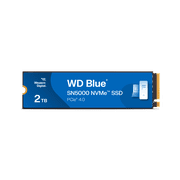
Western Digital 1TB WD Blue SN5000 NVMe Internal Solid State Drive SSD - PCIe Gen 4.0, M.2 2280, Up to 5,150 MB/s - WDS100T4B0E [New Generation]
Item #:
71232038
BHD 150
Price Details
Excluding Shipping & Custom charges ( Shipping and custom charges will be calculated on checkout )
*All items will import from US
In stock
 Imported from USA store
QTY:
Order now and get it around Wednesday, June 24
Secured transaction
Ubuy works hard to protect your security and privacy. Our advanced payment security system ensures confidentiality by encrypting your information during transmission using AES (Advanced Encryption Standards) and SSL (Secure Socket Layer) protocols. Your payment details are 100% secure as we do not share your payment details with third party sellers.
Our Top Logistics Partners


Spark Your Imagination with the WD Blue SN580 NVMe SSD with PCIe Gen 4.0 for creators and professionals.

Fast
Shipping

Free
Return*

Secure Packaging

100% Original Products

PCI DSS Compliance

ISO 27001 Certified


Note: Step Down Voltage Transformer required for using electronics products of US store (110-120). Recommended power converters Buy Now.


What Stands Out
High Speed
Delivers remarkable speeds up to 4,150 MB/s for fast data transfer and improved system responsiveness, ensuring quick boot times and seamless application launches.
Large Capacity
With 1TB of storage, it provides ample space for games, applications, and media, catering to gamers and professionals needing reliable, expansive storage solutions.
Durable Design
The M.2 2280 form factor prioritizes durability and efficiency, making it ideal for compact systems while optimizing heat dissipation for consistent performance.
Product Details
- EXPANDED STORAGE. Hold more masterpieces and enjoy endless inspiration with up to 4TB(1) capacity.
- BOOST YOUR FLOW. Harness AI and streamline your workflow with the combined power of PCIe Gen 4, up to 5,500MB/s(2) read speeds (4TB(1) model), and Western Digital nCache 4.0 Technology.
- PRO MULTITASKING. Switch smoothly between applications and projects with high-end NVMe storage technology.
- DEPENDABLE ENDURANCE. Create confidently with up to 1,200TBW(3) (4TB(1) model) endurance for ideating, drafting, and finalizing your creative work.
- FREE Acronis True Image. Download Acronis True Image for Western Digita data migration software to transfer your files(5).
| Digital Storage Capacity | 1 TB |
| Hard Disk Interface | Solid State |
| Connectivity Technology | PCIe |
| Additional Features | Free Acronis Download |
| Compatible Devices | Desktop, Laptop, PC |
| Specific Uses For Product | Business, Personal |
| Read Speed | 5150 Megabytes Per Second |
| Media Speed | 4900 |
| Cache Memory Installed Size | 1 |
| Data Transfer Rate | 5150 Megabytes Per Second |
| Form Factor | M.2 2280 |
| Hardware Connectivity | PCI Express x4 |
| Hardware Platform | WD |
| Hard-Drive Size | 1 TB |
| Item Weight | 5.7 Grams |
| Item Dimensions L x W x Thickness | 5"L x 0.9"W x 4"Th (12.7 x 2.3 x 10.2 cm) |
| Number of Items | 1 |
| Unit Count | 1.0 Count |
| Customer Package Type | Standard Packaging |
| Brand | Western Digital |
| Model Number | WDS100T4B0E |
| Hard Disk Description | Solid State Drive |
| Built-In Media | Internal SSD |
| Model Name | WD Blue SN5000 |
| Manufacturer | Sandisk Technologies, Inc. |
| Global Trade Identification Number | 00718037894843 |
| UPC | 718037894843 |
| Mfr Part Number | WDS100T4B0E |
| Installation Type | Internal Hard Drive |
| Color | Blue |
| Enclosure Material | Information Not Available |
| Special Feature | Free Acronis Download |
| Hard Disk Size | 1 TB |
Who Should Buy?

-
Gamers
Provides fast load times and smoother gameplay experiences, enhancing the overall gaming performance.
-
Content Creators
Ideal for video editing and large file transfers, significantly reducing wait times for projects.
-
Upgrade Enthusiasts
Perfect for users looking to upgrade their PC’s storage, delivering high speeds and reliability.

-
Budget Shoppers
Not the best choice for users on tight budgets seeking lower-cost storage solutions.
-
Basic Users
May be excessive for users who only need basic storage for web browsing and document processing.
-
High Capacity Needs
Users requiring more than 1TB of space may need to look for larger capacity drives.
Product Description
Have any Query? Chat with us
Related Searches
Customer Questions & Answers
-
Question:
What are the key features of the Western Digital 1TB WD Blue SN580 NVMe SSD?
Answer: The Western Digital 1TB WD Blue SN580 offers a Gen4 x4 PCIe 16 Gb/s interface, providing remarkable read speeds of up to 4,150 MB/s. This solid-state drive is designed in an M.2 2280 form factor, making it compatible with a wide range of laptops and desktops. The fast data transfer rates significantly enhance overall system performance, making it ideal for demanding applications such as gaming, content creation, and data analysis. Its durability and reliability make it a solid choice for users looking to upgrade their storage solutions. -
Question:
Is the WD Blue SN580 compatible with my computer?
Answer: To ensure compatibility, confirm that your motherboard has an M.2 slot that supports NVMe drives. The WD Blue SN580 uses the M.2 2280 form factor and Gen4 interface, which should fit into most modern laptops and desktops. For optimal performance, check that your system supports PCIe 4.0; however, it will still function in a PCIe 3.0 slot, albeit at reduced speeds. Always refer to your device's specifications to verify compatibility before making any upgrades. -
Question:
How does the performance of the WD Blue SN580 compare to SATA SSDs?
Answer: The WD Blue SN580's NVMe technology provides significantly higher performance compared to SATA SSDs. With read speeds up to 4,150 MB/s, it's several times faster than typical SATA drives, which usually max out around 550 MB/s. This substantial speed increase translates into quicker boot times, faster application loading, and enhanced file transfer efficiency, making it an excellent upgrade for users seeking superior data performance, especially in resource-intensive tasks or gaming. -
Question:
What type of systems benefit the most from the WD Blue SN580 SSD?
Answer: The WD Blue SN580 SSD is particularly beneficial for gaming PCs, content creation workstations, and high-performance laptops. Gamers will appreciate the reduced load times and smoother gameplay, while professionals in video editing, graphic design, and data analysis can leverage the fast read and write speeds for improved workflows. Additionally, users looking to enhance their overall computing experience by quickening system boot times and application launches will find the SN580 to be an exceptional choice. -
Question:
What software is available for managing the WD Blue SN580?
Answer: Western Digital provides the WD SSD Dashboard software, which allows users to monitor the health and performance of the SN580. The tool offers features such as firmware updates, drive status monitoring, and temperature tracking, ensuring your SSD operates at its best. Regularly checking the SSD status and using the software helps optimize performance and longevity, especially for users who are frequently utilizing high-intensity applications. -
Question:
Can I use the WD Blue SN580 as an external drive?
Answer: While the WD Blue SN580 is primarily designed as an internal SSD, it can be used externally with a compatible M.2 to USB enclosure. This setup is ideal for users needing additional portable storage or those looking to transfer data between devices. However, keep in mind that using it externally may limit some of its high-speed capabilities due to interface restrictions. This possibility allows for flexible use cases, such as data backup or storage expansion. -
Question:
What is the durability of the WD Blue SN580 SSD?
Answer: The WD Blue SN580 is built with durability in mind, featuring a robust design that withstands the rigors of daily use. It employs advanced technology to manage heat and optimize performance during intensive tasks, enhancing its lifespan. With a focus on reliability, this SSD is suitable for both general and demanding workloads, making it a secure choice for long-term data storage needs, whether for personal or professional use. -
Question:
What kind of workloads is the Western Digital WD Blue SN580 optimized for?
Answer: The WD Blue SN580 is optimized for a variety of workloads including gaming, creative applications, and multi-tasking environments. Its high-speed capabilities enable quick data access for gaming sessions, while content creators benefit from faster file transfers and rendering times. This SSD is perfect for anyone needing reliable high-performance storage, allowing for a smooth experience even with heavy data loads and multitasking scenarios. -
Question:
How do I install the WD Blue SN580 SSD?
Answer: Installing the WD Blue SN580 SSD is a straightforward process, especially for those familiar with computer hardware. Begin by powering off your device and disconnecting it from the power source. Locate the M.2 slot on your motherboard, insert the SSD at an angle, and secure it with a screw. After reassembling your computer, ensure that the drive is recognized in the BIOS. This install process enhances your computer’s performance and storage capacity effectively. -
Question:
Where can I buy the Western Digital 1TB WD Blue SN580 NVMe SSD?
Answer: You can purchase the Western Digital 1TB WD Blue SN580 NVMe Internal Solid State Drive SSD from Ubuy in Bahrain. Ubuy offers a convenient online shopping experience, ensuring you have access to a range of products including this high-performance SSD, allowing you to enhance your computing experience with a reliable and fast internal storage solution.
WesternDigital Internal Components WDS100T4B0E Editorial Review



The Western Digital 1TB WD Blue SN580 NVMe Internal Solid State Drive SSD is a reliable and high-performance storage solution for everyday use. It offers a Gen4 x4 PCIe 16Gbs interface, allowing for fast data transfer speeds of up to 4,150 MBs. The M.2 2280 form factor ensures compatibility with a wide range of devices. Customers have praised the speed and ease of installation of this SSD. Many have reported using it as their boot drive and have experienced fast boot times and Consistent performance. Users have also found it to be reliable, with no issues even after months of heavy usage. One customer mentioned that this SSD did not work with a specific configuration of the Home Assistant Raspberry Pi Compute Module 4, but this seems to be an isolated incident. Overall, the Western Digital 1TB WD Blue SN580 NVMe Internal Solid State Drive SSD is a highly recommended storage solution for those looking for reliable and high-performance storage for their everyday needs.
Customer Reviews & Ratings
2555 customers ratings
-
5 Star
85%
-
4 Star
8%
-
3 Star
2%
-
2 Star
1%
-
1 Star
4%
Review this product
Share your thoughts with other customers
Pros
- Fast data transfer speeds
- Easy installation
- Reliable performance
Cons
- Incompatibility with specific configurations
Top selling WD Blue SN580 SSD in Bahrain
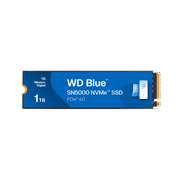
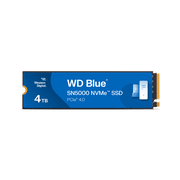

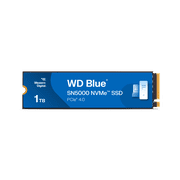




Last Updated on June 16, 2026
Product Price History
Important information
- Limitations : For products shipped internationally, please note that any manufacturer warranty may not be valid; manufacturer service options may not be available; product manuals, instructions, and safety warnings may not be in destination country languages; the products (and accompanying materials) may not be designed in accordance with destination country standards, specifications, and labeling requirements; and the products may not conform to destination country voltage and other electrical standards (requiring use of an adapter or converter if appropriate). The recipient is responsible for assuring that the product can be lawfully imported to the destination country. When ordering from Ubuy or its affiliates, the recipient is the importer of record and must comply with all laws and regulations of the destination country.
- Not all the products listed on Ubuy are for sale, as Ubuy is a global search engine. Products are subject to export/trade regulations.
BHD 150
Order now and get it around Wednesday, June 24
This item is not restrict in my country.(Please click on above link if this item is not restrict in your country, So our team will review and allow.)
QTY:
Secured transaction
Ubuy works hard to protect your security and privacy. Our advanced payment security system ensures confidentiality by encrypting your information during transmission using AES (Advanced Encryption Standards) and SSL (Secure Socket Layer) protocols. Your payment details are 100% secure as we do not share your payment details with third party sellers.
Our Top Logistics Partners
Fastest cross-border delivery
Features & Benefits
- Upgrade to PCIe Gen 4.0 SSDs for unmatched efficiency.
- Experience blazing read speeds of up to 4,150 MB/s.
- Choose from storage options up to 2TB in a slim M.2 form-factor.
- Seamlessly handle large files for creative projects.
- Enhance your laptop's battery life with low-power storage.
- Monitor your SSD's performance and health with the Western Digital SSD Dashboard.