0 ratings

![Roxio Easy CD & DVD Burning 2 [Twister Parent]](https://m.media-amazon.com/images/I/01RmK+J4pJL._AC_.gif)
Item #:
32552113
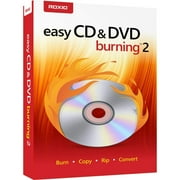
Roxio Easy CD & DVD Burning 2 [Twister Parent]
Item #:
32552113
BHD 15
Price Details
Excluding Shipping & Custom charges ( Shipping and custom charges will be calculated on checkout )
*All items will import from US
0 ratings
Write a review
In stock
 Imported from USA store
QTY:
Order now and get it around Thursday, August 20
Secured transaction
Ubuy works hard to protect your security and privacy. Our advanced payment security system ensures confidentiality by encrypting your information during transmission using AES (Advanced Encryption Standards) and SSL (Secure Socket Layer) protocols. Your payment details are 100% secure as we do not share your payment details with third party sellers.
Our Top Logistics Partners


Easily burn and copy your favorite music, photos, videos, and data files to CD and DVD right from your desktop with Roxio Easy CD & DVD Burning 2

Fast
Shipping

Free
Return*

Secure Packaging

100% Original Products

PCI DSS Compliance

ISO 27001 Certified


Note: Step Down Voltage Transformer required for using electronics products of US store (110-120). Recommended power converters Buy Now.


What Stands Out
User-Friendly Interface
The intuitive design simplifies disc burning and video capture, making it accessible for all users, from beginners to advanced, enhancing productivity without overwhelming complexity.
Comprehensive Format Support
Supports a wide range of disc formats and video sources, ensuring versatile compatibility for users looking to create and preserve their media without format limitations.
Fast Performance
Optimized for speed, this software enables quick burning and capturing processes, saving time while delivering high-quality results, ideal for users with busy schedules.
Product Details
- Easily copy and burn CDs and DVDs from your desktop
- Preserve photos, secure video backups, and create custom music CDs
- Capture or import videos and author DVDs with chapters and menus
- Convert CDs, LPs, and cassettes to digital audio files
- Save time by quickly burning audio CDs and archiving large files across multiple discs
- Make quick photo edits and preserve photos with editing tools
| Date First Available | September 17, 2020 |
| Manufacturer | Roxio |
| Item Weight | 0.2 lbs (90 grams) |
Who Should Buy?

-
Casual Users
Ideal for individuals needing basic disc burning and video capture capabilities without advanced technical skills.
-
Home Media Creators
Perfect for users creating personal movie collections or backing up data onto CDs and DVDs.
-
Budget-Conscious Consumers
Offers affordable disk burning solutions, making it suitable for those seeking cost-effective software options.

-
Professional Users
May lack advanced features and tools required for high-end video editing or disc authoring tasks.
Product Description
Roxio Easy CD & DVD Burning 2 [Twister Parent]
Have any Query? Chat with us
Product Buying Guide
Roxio Easy CD & DVD Burning 2 is a powerful disc burner and video capture software that allows you to easily copy and burn CDs and DVDs, create custom music CDs, and capture or import videos. With features like audio conversion, photo editing, and disc labeling, it is a versatile tool for all your disc burning needs. This buying guide will provide you with the product specifications, key features, usage scenarios, competitor comparison, user reviews, price analysis, buying considerations, and a conclusion.
Product Specifications
- Operating System: Windows
- Subscription Type: One-time purchase
- Product Type: Disc burner and video capture software
- Supported Formats: CD, DVD, MP3, WAV, WMA, MPEG, AVI, WMV, MOV
Key Features
- Easily copy and burn CDs and DVDs from your desktop
- Preserve your photos and create custom music CDs
- Capture or import videos and author DVDs with chapters and menus
- Convert CDs, LPs, and cassettes to digital audio files
- Quickly burn audio CDs and archive photo and video backups
Usage Scenarios
- Copying and burning CDs and DVDs
- Creating custom music CDs
- Capturing or importing videos for editing
- Converting analog audio to digital files
- Archiving photo and video backups
Usage Scenarios
- Nero Burning ROM
- Ashampoo Burning Studio
- PowerISO
Some User Review
- This software is incredibly easy to use and has all the features I need for burning CDs and DVDs. Highly recommended!
- The audio conversion feature is a lifesaver! I can now convert all my old cassette tapes to digital files.
- The photo editing tools are very handy. I can easily enhance and preserve my photos before burning them to a disc.
- I love the option to create custom music CDs with personalized disc labels. It adds a personal touch to my music collection.
Competitors
- The price of Roxio Easy CD & DVD Burning 2 is competitive compared to its competitors. It offers great value for money considering its wide range of features and capabilities.
- It is important to compare prices from different retailers to ensure you are getting the best deal.
- Keep an eye out for any promotions or discounts that may be available to further reduce the price.
Buying Considerations
- Consider your specific needs and usage scenarios for disc burning and video capture.
- Check if your computer meets the system requirements for the software to ensure compatibility.
- Read user reviews and compare features with other similar products to make an informed decision.
- Consider the availability of customer support and software updates for a seamless experience.
Conclusion
Roxio Easy CD & DVD Burning 2 is a versatile and user-friendly software that offers a wide range of features for copying and burning discs, creating custom music CDs, and capturing or importing videos. With competitive pricing and positive user reviews, it is definitely worth considering for all your disc burning needs.
View LessRoxio Easy CD & DVD Burning 2 is a powerful disc burner and video capture software that allows you to easily copy and burn CDs and DVDs, create custom music CDs, and capture or import videos. With features like audio conversion, photo editing, and disc labeling, it is a versatile tool for all your disc burning needs. This buying guide will provide you with the product specifications, key features, usage scenarios, competitor comparison, user reviews, price analysis, buying considerations, and a conclusion. Continue Reading
Related Searches
Customer Questions & Answers
-
Question:
What are the main features of Corel Easy CD & DVD Burning 2?
Answer: Corel Easy CD & DVD Burning 2 offers a straightforward interface enabling users to create audio CDs, data DVD, and back up files effortlessly. It also includes video capture capabilities, allowing you to import footage from multiple sources. This makes it an ideal choice for those looking to consolidate their media into one accessible format. In practical scenarios, you can create a music album for friends or a backup disk of important files, ensuring your media is organized and easily retrievable. -
Question:
Is Corel Easy CD & DVD Burning 2 compatible with Windows 10?
Answer: Yes, Corel Easy CD & DVD Burning 2 is designed to be compatible with various versions of Windows, including Windows 10. The software utilizes updated coding practices that ensure a smooth operation with the latest OS enhancements. This compatibility means that users can efficiently burn media or create backups without worrying about technical issues that may arise from operating system discrepancies, which is especially valuable during a system update or upgrade. -
Question:
Can I capture video directly from a camera using this software?
Answer: Absolutely! Corel Easy CD & DVD Burning 2 allows users to capture video from a variety of sources, including cameras and camcorders through compatible ports. This functionality is great for content creators who want to transfer their footage directly for editing or archiving. For example, you can capture family events, edit your videos, and burn them onto DVD for easy sharing with loved ones. It streamlines the post-production process significantly. -
Question:
How does this software handle audio CD creation?
Answer: The software provides a user-friendly interface to help you easily create audio CDs. Users can import music files from their libraries, arrange them into playlists, and burn them onto discs. This feature is perfect for compiling road trip playlists or creating personalized gifts for occasions like birthdays or holidays. The built-in audio formatting ensures that your CDs are compatible with most standard CD players, enhancing accessibility. -
Question:
Does Corel Easy CD & DVD Burning 2 support all types of media formats?
Answer: Yes, Corel Easy CD & DVD Burning 2 supports a wide range of media formats including MP3, WAV, AVI, and many more. This flexibility allows users to work with various file types without the need for conversion, saving time and maintaining quality. Whether you're burning videos for a watch party or compiling an audio collection, this compatibility allows you to maximize your media's potential. -
Question:
Can I create ISO files with Corel Easy CD & DVD Burning 2?
Answer: Yes, Corel Easy CD & DVD Burning 2 provides the ability to create ISO image files. An ISO file is a perfect digital backup of your discs, allowing you to maintain an exact replica of your file structure. This feature is useful for archiving or restoring your disks without needing the physical media on hand. It's particularly beneficial for users who frequently deal with large amounts of data and prefer digital management. -
Question:
What types of projects can I use Corel Easy CD & DVD Burning 2 for?
Answer: You can use Corel Easy CD & DVD Burning 2 for a variety of projects, including personal audio albums, professional DVD authoring, or data backup. It's suitable for everyday use, whether you're documenting memories through photos and videos or maintaining important files securely. For instance, teachers can create curriculum content on DVDs, or students can compile their work into easy-to-share media formats. -
Question:
Is there a trial version available for Corel Easy CD & DVD Burning 2?
Answer: Corel typically offers a trial version for its software, including Corel Easy CD & DVD Burning 2. This allows users to explore the features and functionality before making a purchase. A trial version is beneficial for those wanting to test the user interface and capabilities to ensure it meets their requirements, particularly if they need reliable disc-burning solutions for specific tasks or projects. -
Question:
What kind of customer support is available for Corel Easy CD & DVD Burning 2?
Answer: Corel provides robust customer support for Easy CD & DVD Burning 2, including online resources like FAQs, user forums, tutorials, and direct technical support. This accessibility means that any troubleshooting or inquiries can be addressed promptly, ensuring that users can continuously enjoy a seamless experience. Particularly, this can prove helpful when encountering unforeseen issues while burning or capturing media. -
Question:
Where can I buy Corel Easy CD & DVD Burning 2 in Bahrain?
Answer: You can buy Corel Easy CD & DVD Burning 2 from Ubuy in Bahrain. Ubuy offers a convenient and reliable platform for purchasing software, ensuring users can find the specific product they need without hassle. This resource can expediate your search and simplify your buying experience, making it easier to get started on your media projects.
Roxio Editorial Review
Roxio Easy CD & DVD Burning 2 is an affordable and feature-packed software that allows you to burn and copy CDs and DVDs like a pro. With customizable menus and chapters, adding audio tags, and editing music files, it is an all-in-one solution for your burning needs. You can easily transfer home movies to DVDs, create custom music CDs, and burn backup copies of your data. However, some users have reported issues with burning CDs and DVDs, and some features like VHS to DVD conversion may require some trial and error.
Customer Reviews & Ratings
1 customers ratings
-
5 Star
100%
-
4 Star
0%
-
3 Star
0%
-
2 Star
0%
-
1 Star
0%
Review this product
Share your thoughts with other customers
Pros
- Affordable and feature-packed
- Customizable DVD menus and chapters
- Easy transfer of home movies to DVD
- Audio tag information burned to the audio CD
- Allows editing of audio and song information
- Can create custom music CDs
Cons
- Some users have reported issues with burning CDs and DVDs
Platform Trust & Buyer Confidence

MB
Maryam
Verified buyer
“The order arrived fast and in perfect condition”
2 June 2026 · via Trustpilot
T
trusttaker
Verified buyer
“I loved it. That was my second order, and I am already thinking of placing a third order.”
16-Jul-26 · via Trustpilot
HA
Haitham
Verified buyer
“Trusted merchant”
11 July 2026 · via Trustpilot
MA
Mohammad
Verified buyer
“Excellent quality and very fast delivery, I really appreciate your service, when you work good I will appreciate that, I am very satisfied , thank you”
13 June 2026 · via Trustpilot
LA
Lulwa
Verified buyer
“I like the package arrived safely”
17 June 2026 · via Trustpilot
Secure Checkout
Global Delivery
Easy Returns
Genuine Products
Top selling Easy CD DVD Burning in Bahrain


![Roxio Creator NXT Pro 9 | Multimedia Suite + Photo Editor and CD/DVD Disc Burning Software [PC Disc]](https://m.media-amazon.com/images/I/71rtoEWoZtL._AC_SX342_.jpg)


Last Updated on August 12, 2026
Product Price History
Important information
- Limitations : For products shipped internationally, please note that any manufacturer warranty may not be valid; manufacturer service options may not be available; product manuals, instructions, and safety warnings may not be in destination country languages; the products (and accompanying materials) may not be designed in accordance with destination country standards, specifications, and labeling requirements; and the products may not conform to destination country voltage and other electrical standards (requiring use of an adapter or converter if appropriate). The recipient is responsible for assuring that the product can be lawfully imported to the destination country. When ordering from Ubuy or its affiliates, the recipient is the importer of record and must comply with all laws and regulations of the destination country.
- Not all the products listed on Ubuy are for sale, as Ubuy is a global search engine. Products are subject to export/trade regulations.
BHD 15
Order now and get it around Thursday, August 20
This item is not restrict in my country.(Please click on above link if this item is not restrict in your country, So our team will review and allow.)
QTY:
Secured transaction
PCI DSS compliant and ISO 27001:2022 certified, with encrypted payments and full buyer protection on every order.
Our Top Logistics Partners
Fastest cross-border delivery
Features & Benefits
- Burn and copy CDs, DVDs, and data files easily
- Create customized CDs with personalized disc labels and playlists with audio cross-fades
- Transform old cassettes into digital files
- Archive photo and video backups and across multiple discs
- Preserve your photos and enhance them with cropping tools and red-eye removal
- Capture or import videos and create professional transitions home movies with DVD chapters
Ubuy Assurance
Experience worry-free shopping with 100% original products, PCI DSS-compliant payment security, ISO 27001-certified data protection, the fastest cross-border delivery, free returns *, and secure packaging on every order.