- الصفحة الرئيسية /
- Software /
- Business & Office /
- Communication /
- Remote Access /
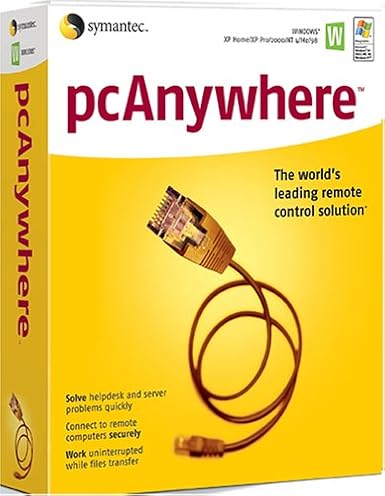
- SYMANTEC pcAnywhere 11.5 Host ( Windows )


منتج #:
124881647
SYMANTEC pcAnywhere 11.5 Host ( Windows )
85% من المشترين سيوصون بهذا المنتج لصديق
منتج #:
124881647
BHD 24
تفاصيل السعر
باستثناء رسوم الشحن والجمارك ( سيتم احتساب رسوم الشحن والجمارك عند إتمام الشراء )
*سيتم استيراد جميع العناصر من أمريكا
0 ratings
اكتب رأيك
متوفر فى المخزون
 مستورد من متجر USA
اطلب الآن واحصل عليه حول الإثنين, سبتمبر 21
معاملة آمنة
تعمل يوباي جاهدة لحماية أمنك وخصوصيتك. يضمن نظام أمان الدفع المتقدم لدينا السرية من خلال تشفير معلوماتك أثناء النقل باستخدام بروتوكولات AES (معايير التشفير المتقدمة) وSSL (طبقة المنافذ الآمنة). تفاصيل الدفع الخاصة بك آمنة بنسبة %100 لأننا لا نشارك تفاصيل الدفع الخاصة بك مع بائعين تابعين لجهات خارجية
أفضل شركائنا اللوجستيين


Manage Windows and Linux systems with ease using SYMANTEC pcAnywhere 11.5, featuring remote management and collaborative tools.

شحن
سريع

استرجاع
مجاني*

تغليف آمن

منتجات أصلية %100

الامتثال لمعيار PCI DSS

حاصل على شهادة ISO 27001




Note: Step Down Voltage Transformer required for using electronics products of أمريكا store (110-120). Recommended power converters اشتري الآن.


مايفيد
Remote Access
Enables seamless remote access to your PC from any location, allowing users to troubleshoot and manage systems effortlessly, reducing downtime and increasing productivity.
Cross-Platform Support
Compatible with various operating systems, ensuring flexibility for users who need to connect from different devices, enhancing accessibility without compromising performance.
Robust Security
Offers encrypted connections and secure authentication methods, safeguarding sensitive information while providing reliable remote support to businesses, thus ensuring peace of mind for users.
تفاصيل المنتج
| Is Discontinued By Manufacturer | No |
| Package Dimensions | 9.7 x 7.9 x 2.7 inches (24.6 x 20.1 x 6.9 cm); 4 Pounds (1.81 kg) |
| Date First Available | December 2, 2004 |
| Manufacturer | Symantec |
من يجب أن يشتري؟

-
IT Support Teams
Ideal for IT professionals who need to provide remote assistance and troubleshoot client machines effectively.
-
Remote Workers
Beneficial for employees working from home, allowing secure access to office networks and resources easily.
-
Small Businesses
Great for small companies requiring simple remote access solutions for collaboration without heavy infrastructure investments.

-
Casual Users
Not suitable for individuals looking for basic consumer-level remote access without advanced features or complexities.
وصف المنتج
SYMANTEC pcAnywhere 11.5 Host ( Windows )
هل لديك أي استفسار؟ تحدث معنا
أسئلة العملاء & الإجابات
-
سؤال:
What is SYMANTEC pcAnywhere 11.5 Host used for?
إجابه: SYMANTEC pcAnywhere 11.5 Host is a remote desktop software that allows you to remotely control computers over the internet. This is particularly useful for IT professionals who need to provide support or access systems from different locations. The software supports file transfer, remote desktop access, and multi-user capabilities, making it ideal for troubleshooting, maintenance, and remote work scenarios. -
سؤال:
Is SYMANTEC pcAnywhere compatible with all Windows versions?
إجابه: While SYMANTEC pcAnywhere 11.5 Host is designed to work with many Windows versions, specific compatibility may vary. It's primarily compatible with Windows XP, Vista, 7, 8, and some server versions. Before installation, it's advisable to check your system specifications to ensure compatibility, as this ensures seamless operation and troubleshooting without hitches. -
سؤال:
Can multiple users access SYMANTEC pcAnywhere 11.5 Host at the same time?
إجابه: Yes, SYMANTEC pcAnywhere 11.5 Host supports multi-user sessions. This means that several users can connect to the host machine simultaneously, allowing for collaboration during technical support scenarios or team meetings. It's particularly effective in business environments where remote collaboration is necessary, as it enables teams to work together seamlessly despite geographical distances. -
سؤال:
How secure is SYMANTEC pcAnywhere 11.5 Host for remote sessions?
إجابه: SYMANTEC pcAnywhere 11.5 Host incorporates advanced security features, including 256-bit encryption, to ensure secure remote connections. This level of security is essential for protecting sensitive data during remote access. Utilizing these features minimizes the risk of unauthorized access, making it a preferred choice for businesses that handle confidential information. -
سؤال:
What types of file transfer capabilities does SYMANTEC pcAnywhere 11.5 Host offer?
إجابه: SYMANTEC pcAnywhere 11.5 Host includes robust file transfer features that allow users to easily send and receive files between connected systems. This functionality is invaluable for IT professionals who need to deploy updates or patches remotely, and for users who require access to files stored on different machines, thus streamlining workflow and enhancing productivity. -
سؤال:
Does SYMANTEC pcAnywhere support mobile devices?
إجابه: SYMANTEC pcAnywhere 11.5 Host does not natively support mobile devices; it is primarily for desktop and laptop environments. However, with remote desktop apps available for smartphones and tablets, you can connect to pcAnywhere sessions indirectly. This expansion encompasses various use cases, such as troubleshooting or accessing files on the go, thereby increasing flexibility and responsiveness. -
سؤال:
What are the key features of SYMANTEC pcAnywhere 11.5 Host?
إجابه: Key features of SYMANTEC pcAnywhere 11.5 Host include remote access, file transfer, multi-user support, and advanced security options. These functionalities make it suitable for diverse scenarios such as technical support, team collaboration, and remote work environments. Users appreciate its versatility and reliability, ensuring efficient connectivity and management across multiple devices. -
سؤال:
How do I install SYMANTEC pcAnywhere 11.5 Host?
إجابه: To install SYMANTEC pcAnywhere 11.5 Host, download the software from a trusted source, run the installer, and follow the on-screen instructions. After installation, you must configure the host settings according to your network preferences. This setup allows for customized access control, enhancing usability and ensuring the software fits your specific remote access needs. -
سؤال:
Can I customize the settings of SYMANTEC pcAnywhere 11.5 Host?
إجابه: Yes, SYMANTEC pcAnywhere 11.5 Host offers various customizable settings to tailor the software to your needs. Users can adjust preferences for connection security, user permissions, and interface display options. Such customization helps optimize performance for specific tasks like remote troubleshooting or collaborative work without compromising the software's functionality. -
سؤال:
Where can I buy SYMANTEC pcAnywhere 11.5 Host (Windows) in Bahrain?
إجابه: You can purchase SYMANTEC pcAnywhere 11.5 Host (Windows) from Ubuy in Bahrain. Ubuy offers a reliable platform to acquire this software, ensuring you have access to the latest features and support. It’s recommended to check the website for availability and to explore various options that meet your specific requirements.
Symantec Remote Access Editorial Review
لم يتم العثور على مراجعات تحريرية
مراجعات العملاء وتقييماتهم
1 تقييمات العملاء
-
5 نجمة
100%
-
4 نجمة
0%
-
3 نجمة
0%
-
2 نجمة
0%
-
1 نجمة
0%
أضف تقييم لهذا المنتج
شارك أفكارك مع عملاء آخرين
إيجابيات
- Easy installation process
- User-friendly interface
- Remote access capabilities
- Compatible with various devices
- Decent performance for basic tasks
سلبيات
- Limited support for modern systems
منصة موثوقة وثقة كاملة للمشتري

T
trusttaker
مشتري موثّق
“I loved it. That was my second order, and I am already thinking of placing a third order.”
16-Jul-26 · عبر Trustpilot
HA
Haitham
مشتري موثّق
“Trusted merchant”
11 July 2026 · عبر Trustpilot
MB
Maryam
مشتري موثّق
“The order arrived fast and in perfect condition”
2 June 2026 · عبر Trustpilot
MA
Mohammad
مشتري موثّق
“Excellent quality and very fast delivery, I really appreciate your service, when you work good I will appreciate that, I am very satisfied , thank you”
13 June 2026 · عبر Trustpilot
LA
Lulwa
مشتري موثّق
“I like the package arrived safely”
17 June 2026 · عبر Trustpilot
الخروج الآمن
شحن عالمي
إسترجاع سهل
منتجات أصلية
تاريخ سعر المنتج
معلومات مهمة
- القيود: بالنسبة للمنتجات التي يتم شحنها دولياً، يُرجى ملاحظة أن أي ضمان من الشركة المصنعة قد لا يكون صالحاً؛ قد لا تتوفر خيارات خدمة الشركة المصنعة؛ قد لا تكون أدلة المنتج والتعليمات وتحذيرات السلامة مكتوبة بلغة بلد المقصد؛ قد لا يتم تصميم المنتجات (والمواد المصاحبة لها) وفقاً لمعايير بلد الوجهة والمواصفات ومتطلبات الملصقات؛ وقد لا تتوافق المنتجات مع الجهد الكهربي المستخدم في بلد الوجهة والمعايير الكهربائية الأخرى (تتطلب استخدام محوّل كهربي أو جهاز تحويل إذا كان ذلك مناسباً). المستلم مسؤول عن ضمان إمكانية استيراد المنتج بشكل قانوني إلى بلد الوجهة. عند الطلب من يوباي أو الشركات التابعة لها، يكون المستلم هو المستورد المسجل ويجب أن يلتزم بجميع القوانين واللوائح الخاصة ببلد الوجهة.
- ليست كل المنتجات المدرجة على يوباي معروضة للبيع، لأن يوباي هو محرك بحث عالمي. المنتجات تخضع للوائح التصدير / التجارة.
BHD 24
اطلب الآن واحصل عليه حول الإثنين, سبتمبر 21
هذا المنتج غير ممنوع في بلدي. (الرجاء الضغط على الرابط أعلاه إذا لم يكن هذا المنتج ممنوعاً في بلدك ، لذلك سيقوم فريقنا بمراجعته والسماح به.)
كمية:
معاملة آمنة
نوفر لك مدفوعات مشفّرة، وحماية متكاملة للمشتري، مع الالتزام بمعايير PCI DSS وشهادة ISO 27001:2022 لضمان أعلى مستويات الأمان في كل عملية شراء.
أفضل شركائنا اللوجستيين
أسرع توصيل عبر الحدود
المميزات والفوائد
- Manage both Windows and Linux systems remotely.
- Access system utilities directly for efficient troubleshooting.
- Run simple batch transfers with pcAnywhere Command Queue.
- Streamline collaboration with concurrent remote connections.
- Easily control hosts with options to restart, shut down, or lock.
- View applications, event logs, and even edit system files remotely.
ضمان Ubuy
تسوّق بثقة مع منتجات أصلية %100، ومدفوعات آمنة متوافقة مع معيار PCI DSS، وحماية بيانات معتمدة وفق ISO 27001، وشحن دولي سريع، وإرجاع مجاني*، وتغليف آمن لكل طلب.