Why Choose Ubuy for Computer Printers?
When it comes to purchasing computer printers, Ubuy stands out as a premier destination that understands your evolving needs. We often find ourselves in a maze of choices, with selection fatigue creeping in when comparing various brands and features. Ubuy alleviates this struggle by offering a curated selection of high-quality printers, emphasizing affordability without sacrificing performance. Whether you're printing family photos or crucial business documents, our platform ensures you have access to both budget-friendly and premium options. What sets us apart is our commitment to international shipping, making it easy to acquire the best printers from leading brands. With just a few clicks, your printer will be on its way to your doorstep, ready to transform your home office or creative space into a powerhouse of productivity.
- Wide selection of printers for every need.
- Affordable and premium options available.
- Convenient international shipping to your location.
Top Computer Printers Collections
Discovering the right computer printer can be overwhelming, considering the diverse range offered in today's market. Ubuy features dynamic collections of printers tailored to suit every potential user and purpose. Our range includes options from compact models ideal for small spaces to multifunction printers designed for robust office needs. You can find the best inkjet printers that deliver vibrant colors for photos, as well as the best laser printers noted for their efficiency and speed in document printing. Each carefully selected printer provides unique benefits tailored to various printing tasks, ensuring that all users—from students to professionals—find exactly what they need. Explore our curated collections and make an informed choice for your printing requirements.
- Diverse selection based on user needs.
- Carefully curated top brands.
- Tailored options for every printing requirement.
Inkjet vs Laser: Comparison
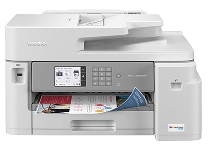
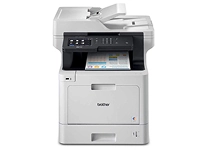
Understanding the difference between inkjet and laser printers is crucial for making an informed purchasing decision. Inkjet printers utilize liquid ink to produce vibrant photos and high-quality prints, making them ideal for creative work or personal photo projects. They excel in reproducing grayscale images with stunning detail. On the other hand, laser printers use toner cartridges and are known for their speed and efficiency, particularly when it comes to handling large volumes of text documents. If your printing needs involve vast quantities of documents where speed and cost-per-page matter, a laser printer may be your best bet. Ubuy offers a detailed exploration of both types to help you decide which is right for your specific needs.
- Inkjet ideal for photos and colors.
- Laser excels in speed and document efficiency.
- Expert recommendations provided based on needs.
How to Choose the Right Computer Printer
Choosing the right computer printer involves assessing your individual needs and circumstances. Start by determining the primary use of the printer—whether for home, school, or office settings. Factors such as print volume, color quality, and the type of documents you'll print assist in narrowing down your options. For vibrant graphics and images, look to the best inkjet printers. Conversely, if you primarily require fast and economical printing of text documents, laser printers are often more advantageous. Budget considerations also play a crucial role; compare options across different brands to find a model that offers the best balance of cost and functionality. Ubuy simplifies this process, providing valuable insights and a broad range of choices to align with your preferences.
- Assess primary use to determine needs.
- Consider factors like volume, quality, and budget.
- Access broad range and insights on Ubuy.
Top Computer Printer Brands
Navigating the world of computer printers means engaging with several trusted brands that consistently deliver quality and performance. Prominent names such as HP, Canon, Epson, and Brother lead the market, each offering innovative solutions tailored to various consumer needs. HP is celebrated for their reliable all-in-one printers, while Canon is frequently chosen for its exceptional photo printing capabilities. Epson is renowned for its eco-friendly ink options, helping users manage printing costs, and Brother's laser printers are favored in bustling office environments for their high-speed output. By focusing on these industry leaders, you can enhance your chances of finding a printer that meets your expectations for both quality and functionality.
- Top brands like HP, Canon, Epson, and Brother exist.
- Reliable all-in-one options available.
- Industry leaders ensure quality and performance.
Select the Right Computer Printers to Boost Your Productivity
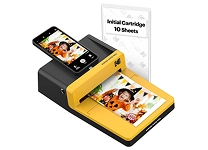
Choosing the right computer printers can significantly enhance your productivity in various settings. Understanding the various types—inkjet, laser, all-in-one, and photo printers—allows you to tailor your selection to your specific needs. Inkjet printers are perfect for high-quality images and color output, ideal for creative projects or family photos, while laser printers provide fast and cost-effective solutions for document-heavy tasks. All-in-one printers combine the functions of printing, scanning, copying, and sometimes faxing, making them suitable for both home and office use. Photo printers specialize in producing stunning photographs with vibrant colors and sharp details. Trustworthy brands such as HP, Canon, and Epson dominate this space, providing reliable options to suit your printing requirements seamlessly.
- Different types cater to various printing needs.
- Inkjet for high-quality images, laser for documents.
- All-in-one and photo printers for versatility.







![Bose A30 Bluetooth Aviation Headset - Lightweight Comfortable Design, Adjustable ANR And Noise Cancelling Microphone, [XLR 5 Pin] Black](https://m.media-amazon.com/images/I/71F3iowq-qL._AC_SX569_.jpg)